Researched, not hands-on tested. Every spec below comes from the manufacturer’s official documentation.
As an Amazon Associate I earn from qualifying purchases.
One cable in, everything works: that’s the dream
Modern laptops ship with two, maybe three ports and a lot of confidence. The rest of your desk — monitor, keyboard, cards, Ethernet, charger — still expects to plug in somewhere. A USB-C hub covers the travel version of that problem; a docking station solves the permanent-desk version. This guide lines up five verified models on a spectrum from “lives in your laptop bag” to “becomes part of the furniture,” so you can buy exactly as much hub as your routine actually needs.
How to choose (read this before the products)
Ports first, brand second. List what you plug in weekly. If that’s one monitor, a mouse receiver and SD cards, a 7-in-1 travel hub is plenty. Docks earn their size when Ethernet, multiple monitors and a forest of peripherals enter the picture.
Know your 4K: 30Hz vs 60Hz. Several budget hubs output 4K at only 30Hz — fine for documents and video, visibly choppier for cursor movement and scrolling. If you’ll stare at the external screen all day, 4K@60Hz is worth insisting on. In this guide, the UGREEN Revodok caps at 4K@30Hz; the rest reach 60Hz.
Power Delivery (PD) watts are shared watts. A hub advertising “100W” passes less to your laptop — some power runs the hub itself. Check the pass-through figure: the Anker 7-in-1 passes up to 85W from a 100W input, the Satechi up to 80W, while the UGREEN Revodok passes up to 95W. Docks with their own power bricks (the Anker 575, the CalDigit TS4) sidestep the sharing problem entirely.
Mac owners: the mirroring caveat. Some multi-display docks use SST on macOS, meaning every external monitor shows the same image instead of extending your desktop. The Anker 575 does exactly this on macOS and iPadOS — Windows users get three independent screens, Mac users get one screen repeated. It is the single most misunderstood spec in this category, so it’s flagged again on the product below.
Data speeds split into tiers. 5Gbps ports are fine for peripherals and card readers; 10Gbps matters for fast external SSDs; Thunderbolt 4 (40Gbps) is dock territory. Match the tier to your drives.
| Product | Anker USB-C Hub (7-in-1), model A83D2 | UGREEN Revodok 1071 7-in-1 USB-C Hub, SKU 15214 | Satechi 7-in-1 USB-C Slim Multiport Adapter with Ethernet, model ST-P7SS | Anker 575 USB-C Docking Station (13-in-1), model A8392 | CalDigit TS4 — Thunderbolt Station 4 (TS4-US 500971) |
|---|---|---|---|---|---|
| Testing level | Research-based | Research-based | Research-based | Research-based | Research-based |
| Best for | Travel / hybrid workers needing one 4K screen, card readers and 85W pass-through in a pocketable hub. | Mobile users who prioritise charging pass-through and card readers over networking or multiple screens. | MacBook/Windows users who want Ethernet + 4K60 HDMI + fast 10Gbps USB-A in one slim travel adapter. | A fixed Windows desk with up to three monitors, wired Ethernet and one-cable docking. | A permanent, peripheral-heavy Thunderbolt desk needing 2.5GbE, UHS-II cards, lots of 10Gbps USB and 98W charging. |
| Skip if | You need Ethernet, a second display, or 10Gbps data — this model has none of those. | You need Ethernet, dual monitors, or 4K@60Hz — UGREEN's own specs cap this hub at 4K@30Hz with no Ethernet. | You need a USB-C data port, dual displays, or a flush dual-connector fit — this model's USB-C is charging-only and it drives one screen. | You use a Mac and need separate extended desktops on multiple monitors — macOS mirrors only via this dock. | You need built-in HDMI (there is none — video is DisplayPort / Thunderbolt), Thunderbolt 5 bandwidth, or a travel hub. |
| Ports | 7 ports: 1× HDMI, 2× USB-A 3.0, 1× USB-C data, 1× USB-C PD input, SD and TF card slots | 7 ports: 1× USB-C data, 2× USB-A, 1× HDMI, SD/TF slot, PD charging port | 7 ports: USB-C PD, Gigabit Ethernet, HDMI, 2× USB-A, SD reader, microSD reader | 13 ports: USB-C host charging (85W), USB-C PD 18W, USB-C data, 3× USB-A, 2× HDMI, 1× DisplayPort, Ethernet, SD/microSD, 3.5mm AUX, DC input | 18 ports total |
| HDMI | Up to 4K@60Hz (USB-C port is data-only, no video) | HDMI 1.4, max 4K@30Hz, single external monitor | Up to 4K@60Hz, single external display only | — | — |
| Power Delivery | 100W input, up to 85W to the laptop (15W reserved for the hub); charger not included | 100W input, up to 95W pass-through to the laptop | 100W input, max 80W output to host | — | — |
| Data | 5Gbps on USB-A and USB-C | 5Gbps (USB-C 3.0 + 2× USB-A 3.0) | — | USB-C 10Gbps, USB-A 5Gbps | — |
| Ethernet | No Ethernet port | No Ethernet | Gigabit Ethernet up to 1Gbps | Gigabit Ethernet | 2.5 Gigabit Ethernet |
| Compatibility | Not compatible with Linux or Nintendo Switch | — | — | — | — |
| Card reader | — | SD/TF card reader | — | — | — |
| USB-A | — | — | 2× USB-A 3.2 Gen 2 at 10Gbps | — | 5× USB-A (10 Gb/s) |
| Pros | 4K@60Hz HDMI output; 85W pass-through charging from a 100W charger; 5Gbps data on USB-A and USB-C | 95W pass-through charging from 100W input; 5Gbps data on USB-C and USB-A; SD and TF card readers | Gigabit Ethernet; 4K@60Hz HDMI; Two USB-A 3.2 Gen 2 ports at 10Gbps | Triple display support on Windows (up to 3 monitors); 85W laptop charging plus 18W phone charging; Gigabit Ethernet | 18 ports including 3× Thunderbolt 4; 98W host charging (230W PSU included); Single 8K or dual 6K@60Hz display support |
| Cons | No Ethernet port; Single display only; USB-C port is data-only (no video) | HDMI capped at 4K@30Hz; No Ethernet; Single display only | USB-C port is charging-only (no data, no video); Single display only | macOS mirrors only (no extended desktops on multiple monitors); Desktop dock (not portable) | No built-in HDMI (video is DisplayPort / Thunderbolt); No Thunderbolt 5 bandwidth; Full-size desk dock (not a travel hub) |
| Price | Check price on Amazon | Check price on Amazon | Check price on Amazon | Check price on Amazon | Check price on Amazon |
Hub or dock? The 10-second test
Answer one question: does your laptop live in one place, or in your bag? Bag — buy a hub; the three travel models above differ mainly in their display ceiling (30Hz vs 60Hz), Ethernet and charging pass-through. Desk — buy a dock with its own power brick, so charging never competes with your peripherals. The one in-between case is the hybrid worker with a fixed second desk (say, a home office used three days a week): that’s dock territory too, because the whole point is sitting down, plugging one cable, and being done. Everything below is ordered along that spectrum.
The picks, from laptop bag to desk throne
1. UGREEN Revodok 1071 — the lightweight traveler’s hub
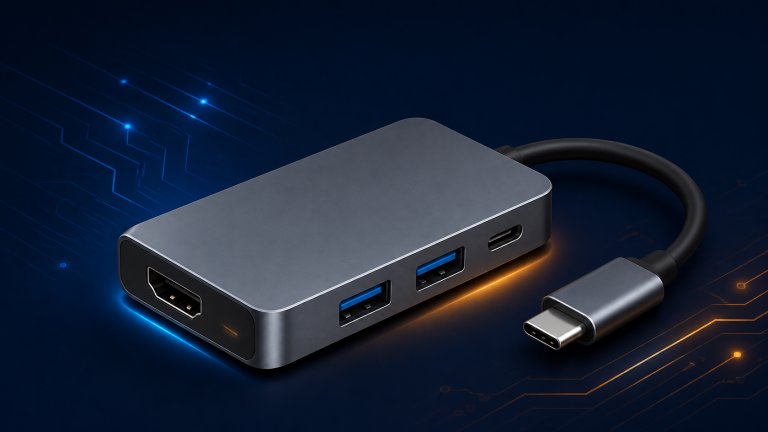
UGREEN’s 7-in-1 is the minimalist option: one HDMI output, a USB-C data port, two USB-A ports, SD/TF card readers and the strongest pass-through charging in this travel group — up to 95W to the laptop from a 100W input, at 5Gbps data speeds. The compromises are printed on the spec sheet, not hidden: HDMI is 1.4 and tops out at 4K@30Hz, and there is no Ethernet. If your travel days mean hotel desks, one screen and camera cards, that’s a fair trade for the size. (One honesty note: UGREEN’s own spec table — not the marketing headlines — is what confirms the 30Hz ceiling, and it’s the table we trust.)
UGREEN
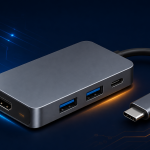
UGREEN Revodok 1071 7-in-1 USB-C Hub, SKU 15214
The UGREEN Revodok 1071 is a small 7-in-1 travel hub for USB-C laptops, tablets, and handhelds that need basic expansion without a desk dock.
- Ports: 7 ports: 1× USB-C data, 2× USB-A, 1× HDMI, SD/TF slot, PD charging port
- HDMI: HDMI 1.4, max 4K@30Hz, single external monitor
- Power Delivery: 100W input, up to 95W pass-through to the laptop
As an Amazon Associate I earn from qualifying purchases.
2. Anker USB-C Hub (7-in-1), model A83D2 — 4K@60Hz in your pocket
Anker’s current 7-in-1 (model A83D2, successor to the older A8346) fixes the Revodok’s main compromise: its HDMI output runs a full 4K@60Hz. You get two USB-A 3.0 ports, a USB-C data port, SD and TF slots and up to 85W of pass-through charging (connect a 100W charger; none is included). Still no Ethernet, still a single display, and Anker’s own compatibility note excludes Linux and Nintendo Switch. For hybrid workers bouncing between desks who drive one proper monitor, this is the balanced pick.
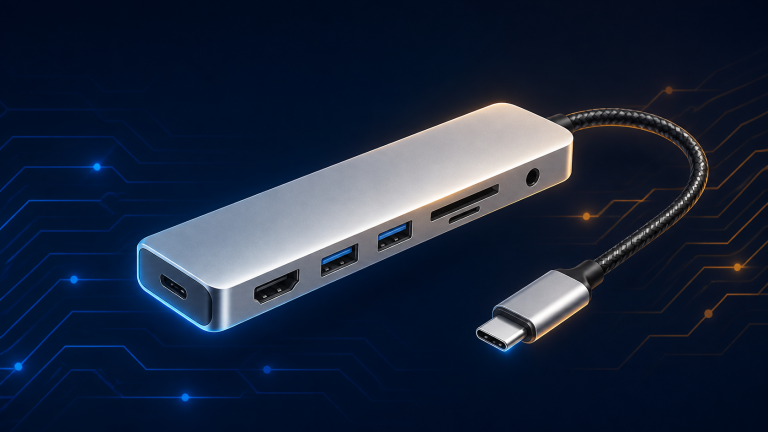
Anker
Anker USB-C Hub (7-in-1), model A83D2
The Anker USB-C Hub (7-in-1) is a compact travel hub for USB-C laptops that need one external display and everyday peripherals from a single port.
- Ports: 7 ports: 1× HDMI, 2× USB-A 3.0, 1× USB-C data, 1× USB-C PD input, SD and TF card slots
- HDMI: Up to 4K@60Hz (USB-C port is data-only, no video)
- Power Delivery: 100W input, up to 85W to the laptop (15W reserved for the hub); charger not included
As an Amazon Associate I earn from qualifying purchases.
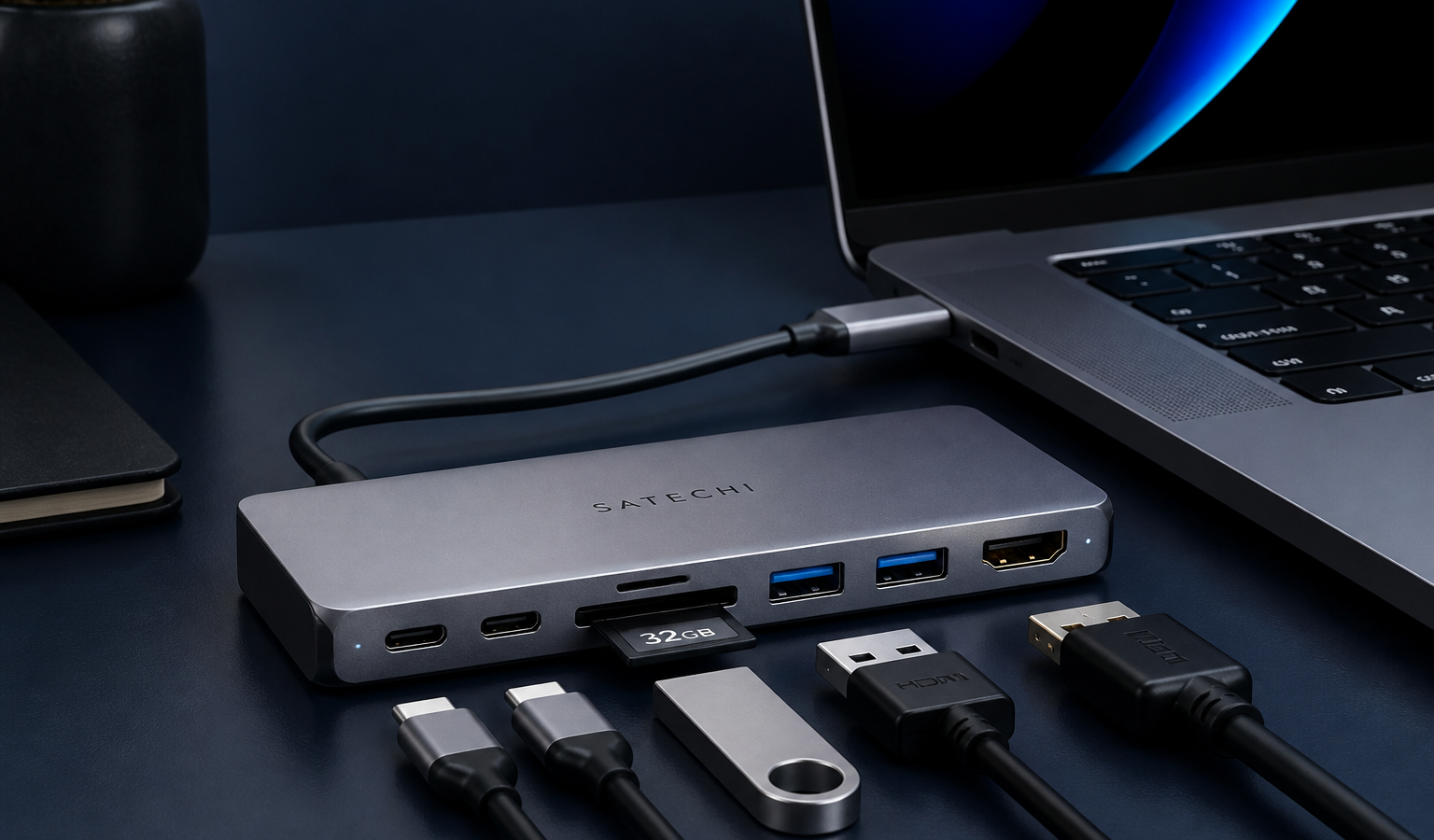
3. Satechi 7-in-1 Slim Multiport Adapter with Ethernet — the one with the wire
Same travel format, different priorities. The Satechi (model ST-P7SS) is the only pocketable hub here with Gigabit Ethernet, plus 4K@60Hz HDMI and two USB-A ports running at a genuinely fast 10Gbps — rare at this size. SD and microSD readers are aboard, and pass-through charging delivers up to 80W to the host. The one functional surprise: its USB-C port is charging-only — no data, no video through it. If your bag kit needs wired networking and fast USB-A more than a USB-C data port, this is your hub.
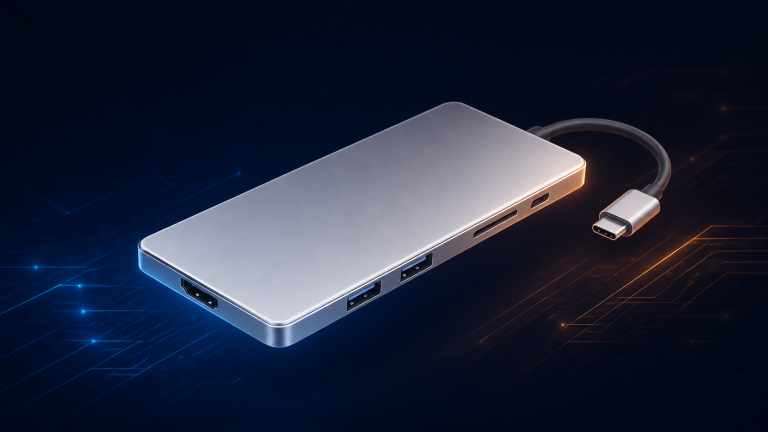
Satechi
Satechi 7-in-1 USB-C Slim Multiport Adapter with Ethernet, model ST-P7SS
The Satechi 7-in-1 USB-C Slim Multiport Adapter with Ethernet is a cable-attached hub for MacBook and Windows laptop users who need wired networking as well as display and card access.
- Ports: 7 ports: USB-C PD, Gigabit Ethernet, HDMI, 2× USB-A, SD reader, microSD reader
- HDMI: Up to 4K@60Hz, single external display only
- Power Delivery: 100W input, max 80W output to host
As an Amazon Associate I earn from qualifying purchases.
4. Anker 575 USB-C Docking Station (13-in-1) — the fixed-desk anchor
Crossing into dock territory buys permanence: 13 ports including two HDMI, a DisplayPort, Gigabit Ethernet, card readers, a 3.5mm audio jack and its own 135W power supply, delivering 85W to the laptop and 18W to a phone. Windows users can run triple displays (up to three 1080p@60Hz screens, or a single 4K@60Hz). Now the caveat, in bold for a reason: on macOS and iPadOS this dock mirrors — every external screen shows the same content. Windows desks get a genuine command center; Mac desks should look at the next pick instead.
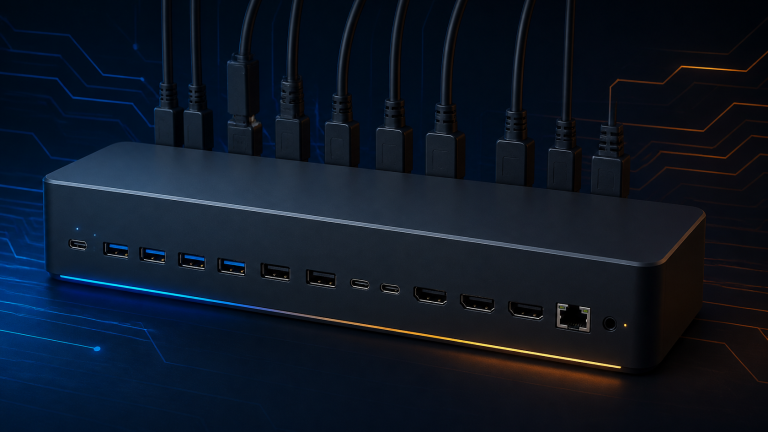
Anker
Anker 575 USB-C Docking Station (13-in-1), model A8392
The Anker 575 is a desktop docking station, sold earlier under the PowerExpand 13-in-1 name, for USB-C laptops that stay at one desk.
- Ports: 13 ports: USB-C host charging (85W), USB-C PD 18W, USB-C data, 3× USB-A, 2× HDMI, 1× DisplayPort, Ethernet, SD/microSD, 3.5mm AUX, DC input
- Displays: Triple display on Windows (2× HDMI + DisplayPort), up to 3 monitors 1080p@60Hz; single output max 4K@60Hz
- macOS: macOS/iPadOS limitation: SST only — all external monitors mirror the same content
As an Amazon Associate I earn from qualifying purchases.
5. CalDigit TS4 — the 18-port endgame
The TS4 is what “no compromises” looks like: 18 ports, three of them Thunderbolt 4 at 40Gbps, eight USB ports at 10Gbps, DisplayPort 1.4, 2.5 Gigabit Ethernet, UHS-II SD and microSD readers, and up to 98W of host charging from its 230W supply. Display support runs to a single 8K screen or dual 6K@60Hz on compatible Apple silicon (original M1 Macs are limited to one external display — that’s Apple’s limit, not CalDigit’s). Two honest footnotes: there’s no HDMI port (video is DisplayPort/Thunderbolt), and when we last checked, CalDigit’s own US store showed new units out of stock while a newer TS5 generation exists — so verify availability before you fall in love. For a permanent, peripheral-heavy workstation, nothing else in this guide is in its league.
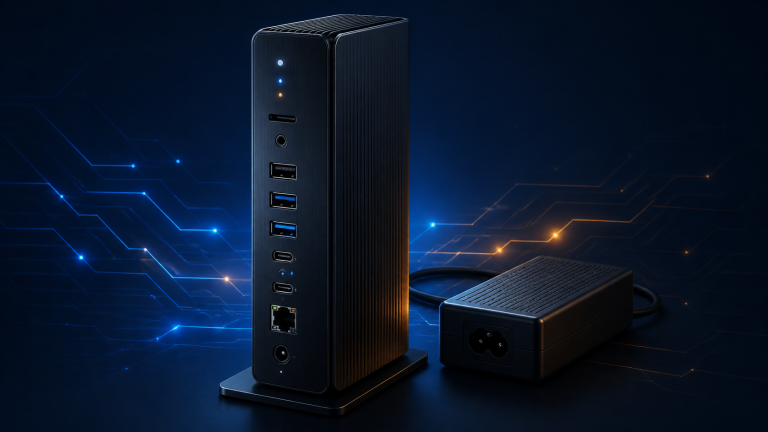
CalDigit
CalDigit TS4 — Thunderbolt Station 4 (TS4-US 500971)
The CalDigit TS4, or Thunderbolt Station 4, is a full-size Thunderbolt 4 desk dock for demanding Mac and Windows setups built around a single host cable.
- Ports: 18 ports total
- Thunderbolt 4: 3× Thunderbolt 4 (40 Gb/s)
- USB-C: 3× USB-C (10 Gb/s)
As an Amazon Associate I earn from qualifying purchases.
Which one is yours?
Bag-first and one screen: Revodok 1071 (charging champ) or Anker A83D2 (smoother 4K). Need Ethernet in the bag: Satechi. Fixed Windows desk with monitors to spare: Anker 575. Mac power desk or a small studio’s worth of gear: CalDigit TS4. And once the desk is docked, finish the job with our picks in Best Tech Gadgets for Your Home Office in 2026.
The Bit Take
A hub is just adulthood in dongle form: one port was never going to be enough.
Buy for the ports you plug in every week — not the 18 you might need once — and your bag (and wallet) stay light.
UGREEN Revodok 1071 7-in-1 USB-C Hub, SKU 15214
Check price on Amazon